For businesses whose CRM is full of forgotten money

The money is already
in your CRM.
Nobody is chasing it.

RevenuePilot reads the system you already use, finds the leads nobody followed up, the quotes nobody chased and the customers overdue to come back — then, once you approve, does something about each one.

Connects in one click No developers Cancel any time
What it finds

Three ways revenue quietly leaves

None of these are mysteries. They are all sitting in your CRM right now, and nobody has time to go looking.

01

Leads nobody called

A form came in, it landed on nobody, and the week moved on. Speed is most of what decides these, and the clock started without anyone watching it.

"Nobody has contacted this lead in the 154 hours since it arrived. It has no owner, so nobody is going to pick it up."
02

Quotes nobody chased

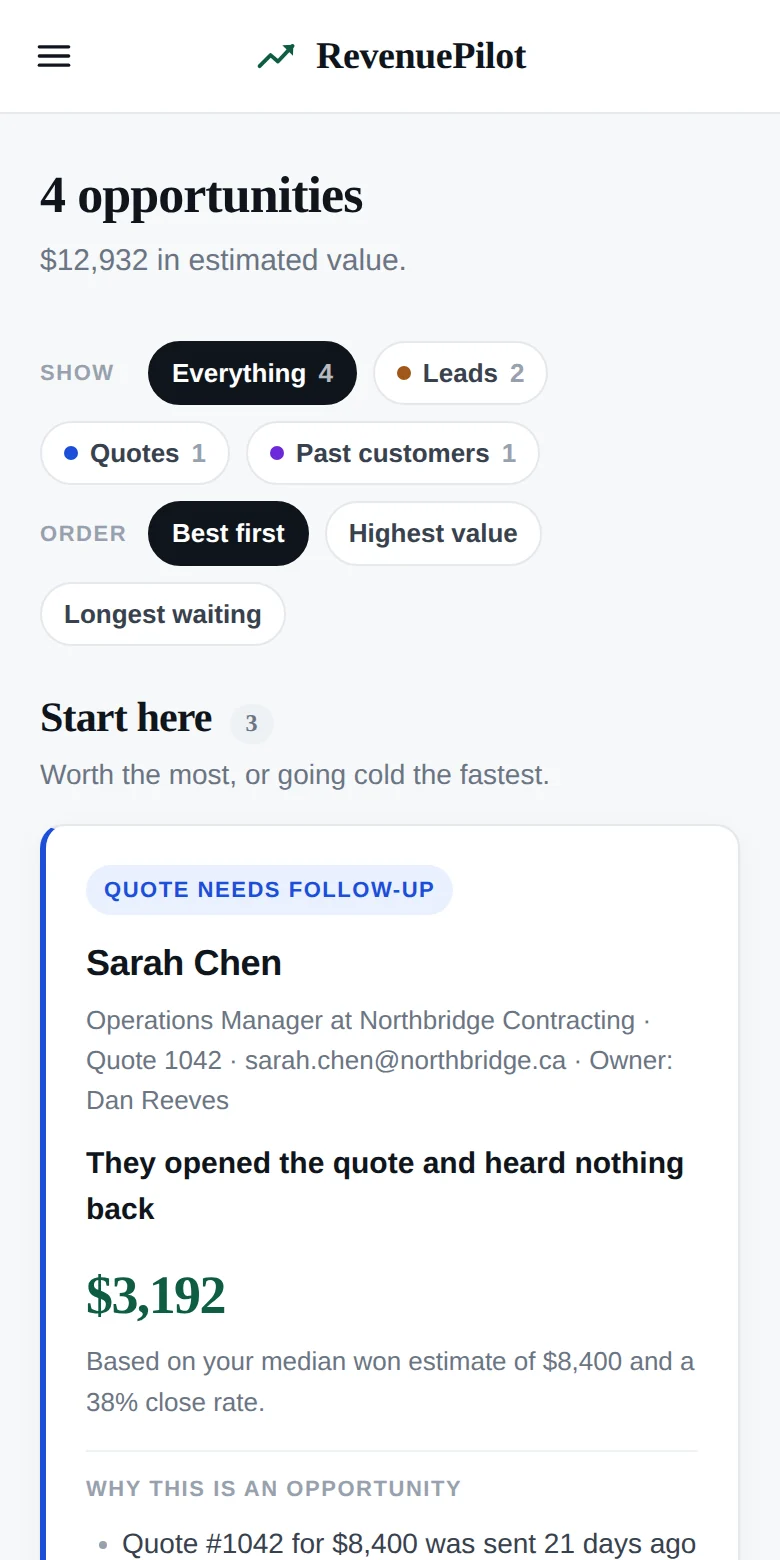
You sent it. They opened it — twice. Then it went quiet, and following up felt like nagging, so it never happened.

"Quote #1042 for $8,400 was sent 21 days ago. Opened twice, most recently 6 days ago."
03

Customers due back

They bought once, they were happy, and the interval that should have brought them back has quietly passed.

"Typically returns every 11 months. It has been 16, and nothing is scheduled."
How it works

Connect one system. Everything else follows.

One connection is enough to be useful on the first afternoon. Each further one makes the findings sharper.

Step one

Connect

Sign in to your CRM. No API keys, no developer, no project to set up.

Step two

Scan

It reads your history and builds a picture of how your business actually sells.

Step three

Discover

Opportunities appear, best first, each one explaining itself in terms you can check.

Step four

Approve

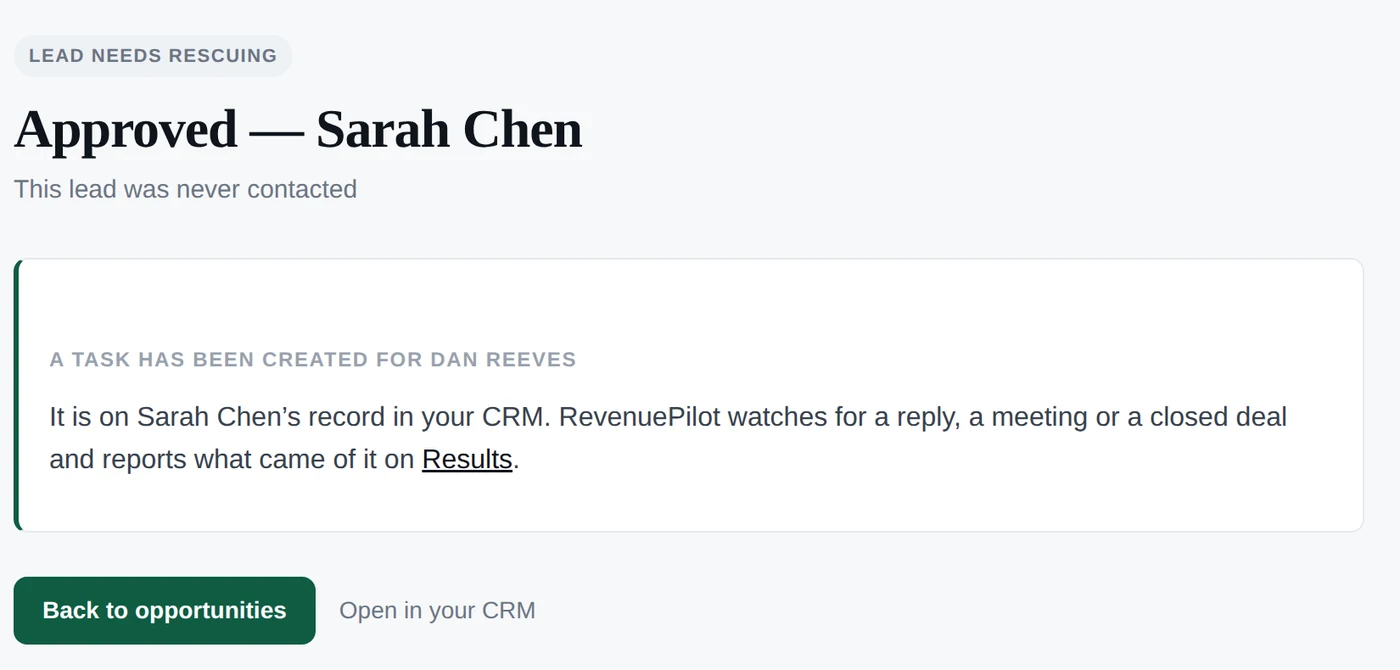
You decide. Approve and it acts in your CRM; dismiss and it learns not to ask again.

Step five

Measure

It records what came back — and shows its working, including what it got wrong.

Measurement

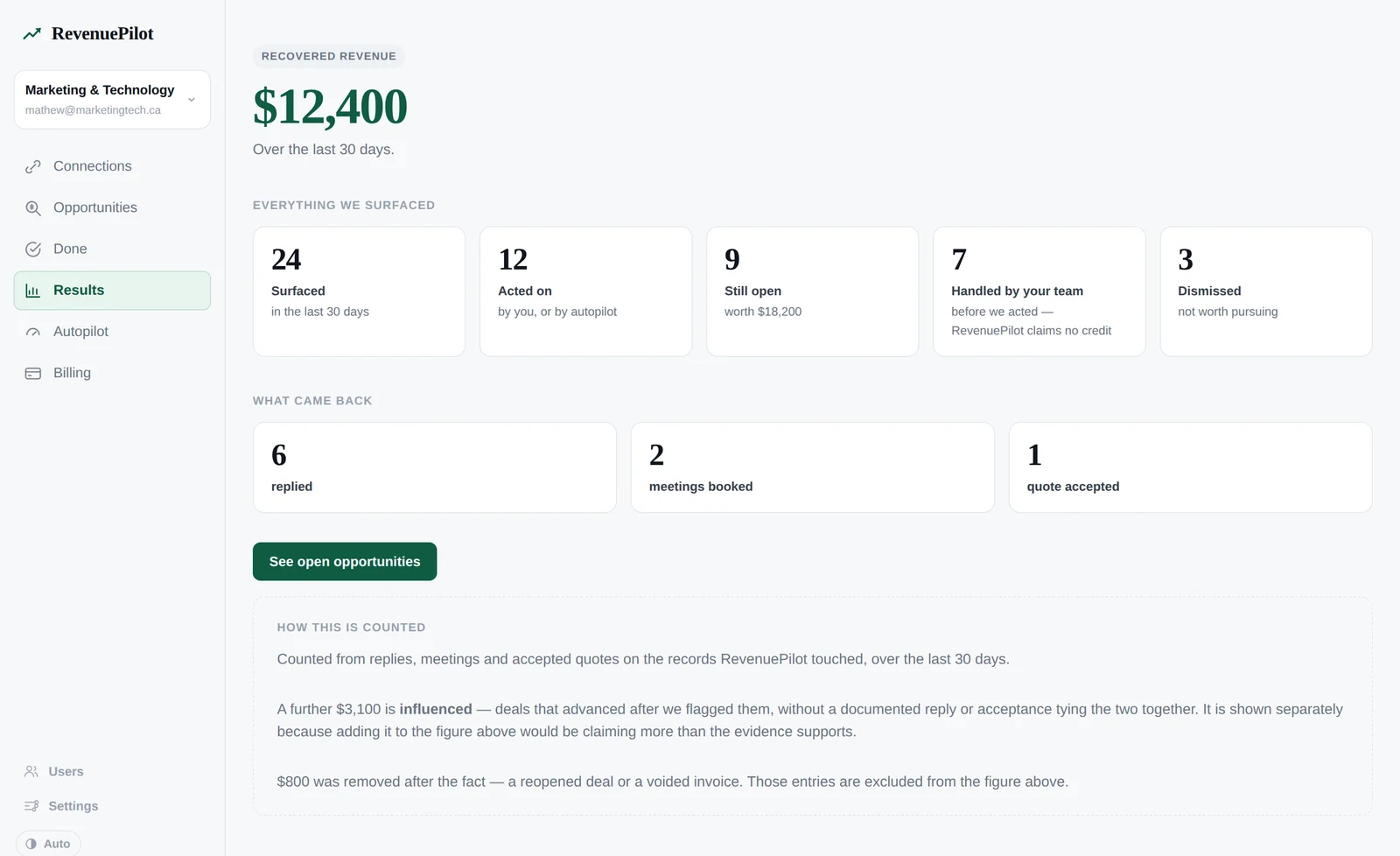
A number you can check

Most software tells you it made you money. Almost none of it will show you how it arrived at the figure — which is why experienced operators have learned to ignore it.

RevenuePilot counts a recovery only when a person did something after we acted: replied, booked, accepted, paid. A deal that merely moved forward is reported separately, because claiming it would be claiming more than the evidence supports. Work your own team did is credited to your team. And when a won deal reopens, the money comes back out.

$18,400
Recovered over the last 90 days
Influenced, shown separately$6,200
Reversed — a deal reopened−$1,500
Resolved by your team3 — not ours to claim
Dismissed as not worth it6
Pricing

Priced against what it finds

If it does not find you more than it costs, the Results screen will say so. That is the whole arrangement.

Starter
$199/mo
CAD, billed monthly
  • One connected system
  • All three engines
  • 400 actions a month
  • You approve every action
  • Daily sync
Start free trial
Most popular
Growth
$499/mo
CAD, billed monthly
  • Three connected systems
  • All three engines
  • 1,500 actions a month
  • Autopilot, once it has earned it
  • Hourly sync
Start free trial
Scale
$1,299/mo
CAD, billed monthly
  • Unlimited connected systems
  • All three engines
  • 6,000 actions a month
  • Autopilot, once it has earned it
  • Quarterly revenue review with our team
Start free trial

14-day trial on every plan. Card required, so nothing is interrupted the week it starts working. Cancel any time — you keep everything it found.

Questions

The obvious objections

Is this another CRM?

No, and deliberately not. RevenuePilot sits above the system you already use and never asks you to move your data or change how your team works. If it stopped existing tomorrow, your CRM would be exactly as it was.

Will it email my customers without me?

Not unless you turn that on, and never for reactivation campaigns in the first version — those are approved by a person every time. Everything else starts in approval mode: it proposes, you decide. Autopilot is something you grant once you trust its judgement, not a default you have to discover and switch off.

What if the data in my CRM is a mess?

Most are. RevenuePilot only claims what the records support — a finding with no defensible value says so rather than inventing a number, and a contact it cannot identify is one it refuses to act on. Messy data means fewer findings, not wrong ones.

How long before it is useful?

An afternoon. Connect your CRM and the first read of your history usually finishes in minutes; findings appear as it goes. You do not need to wait for it to finish before looking.

What does it connect to?

HubSpot today. Salesforce, Jobber, ServiceTitan, Mailchimp, Google Ads and Analytics, and Meta are on the way — one connection is enough to start, and each further one makes the findings sharper.
Find out what your CRM has been sitting on.

Connect HubSpot and see the first findings this afternoon. If there is nothing there, that is worth knowing too.

Get started